




Lost counts
The notebook says 12. The shelf says 7.
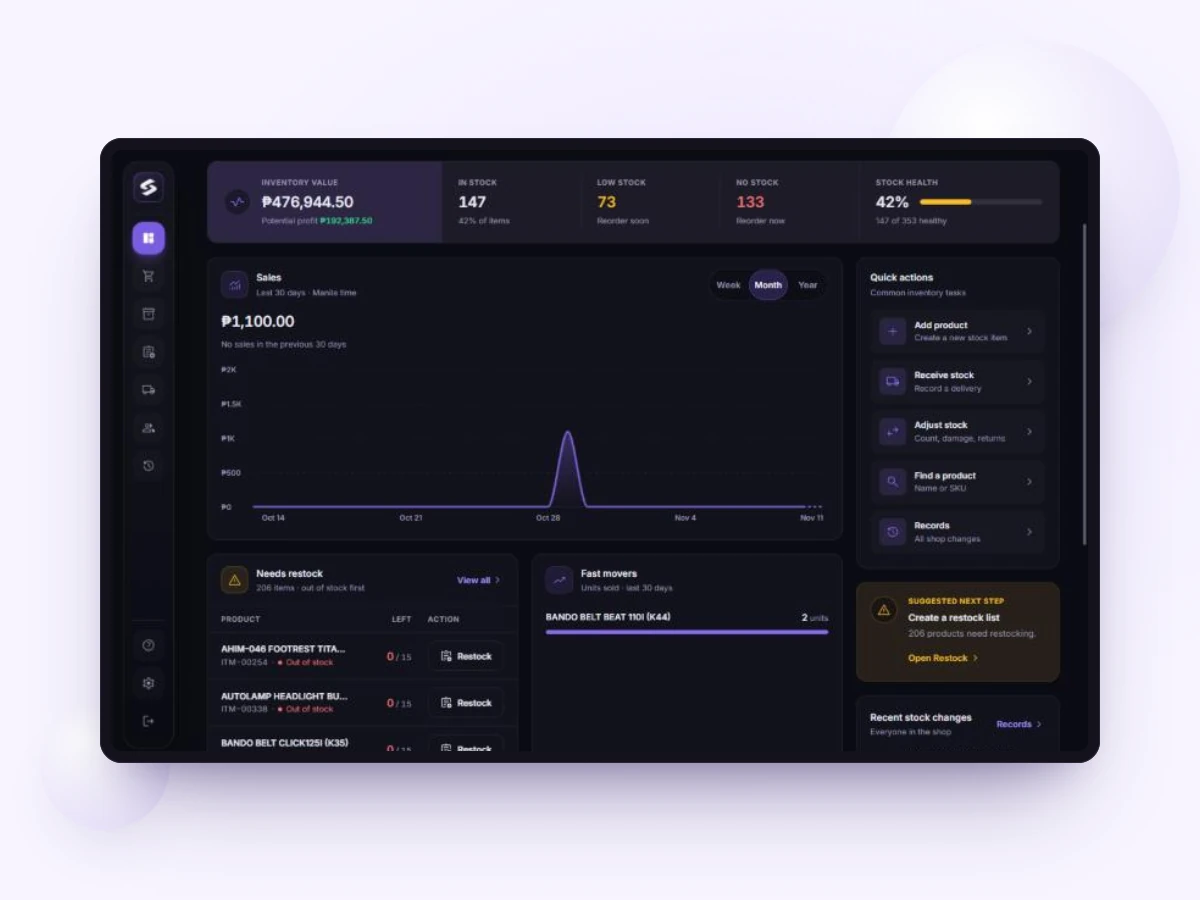
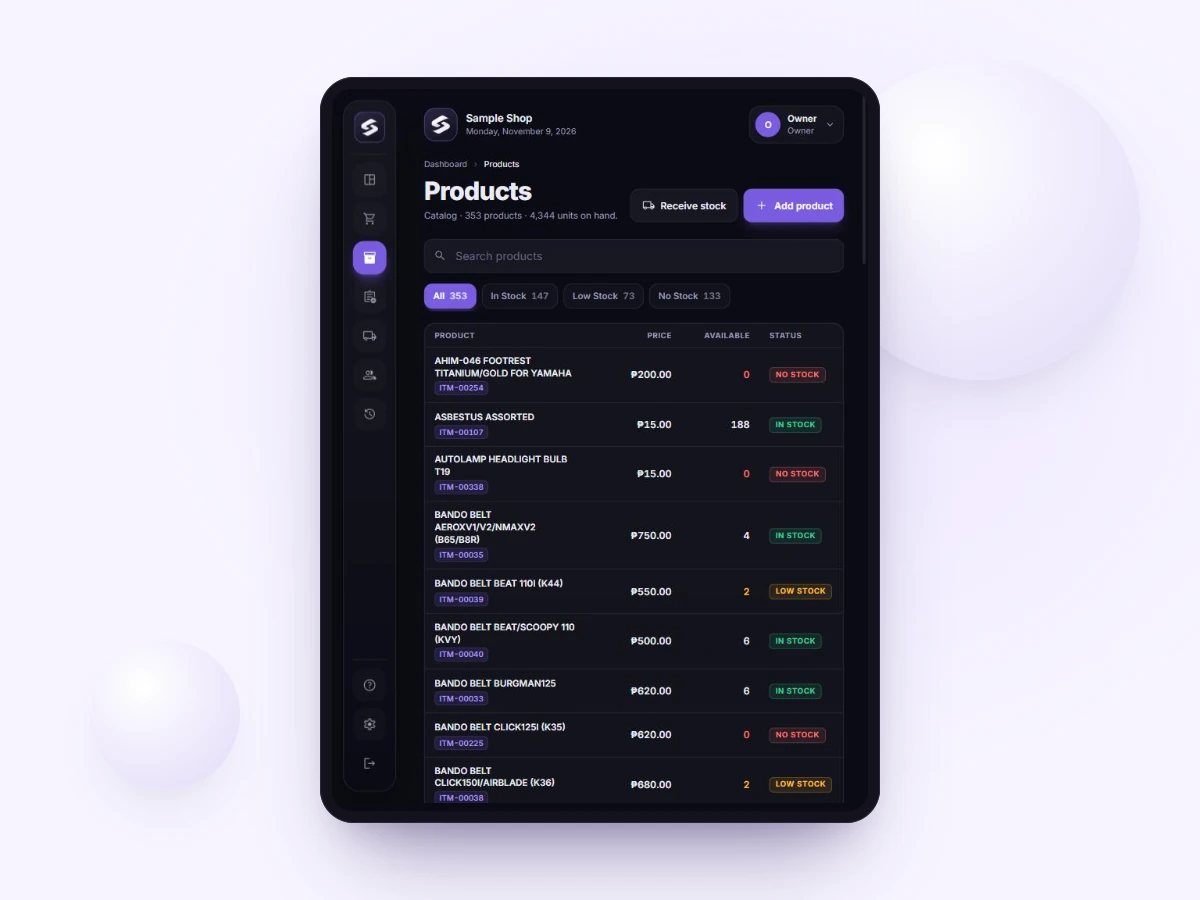
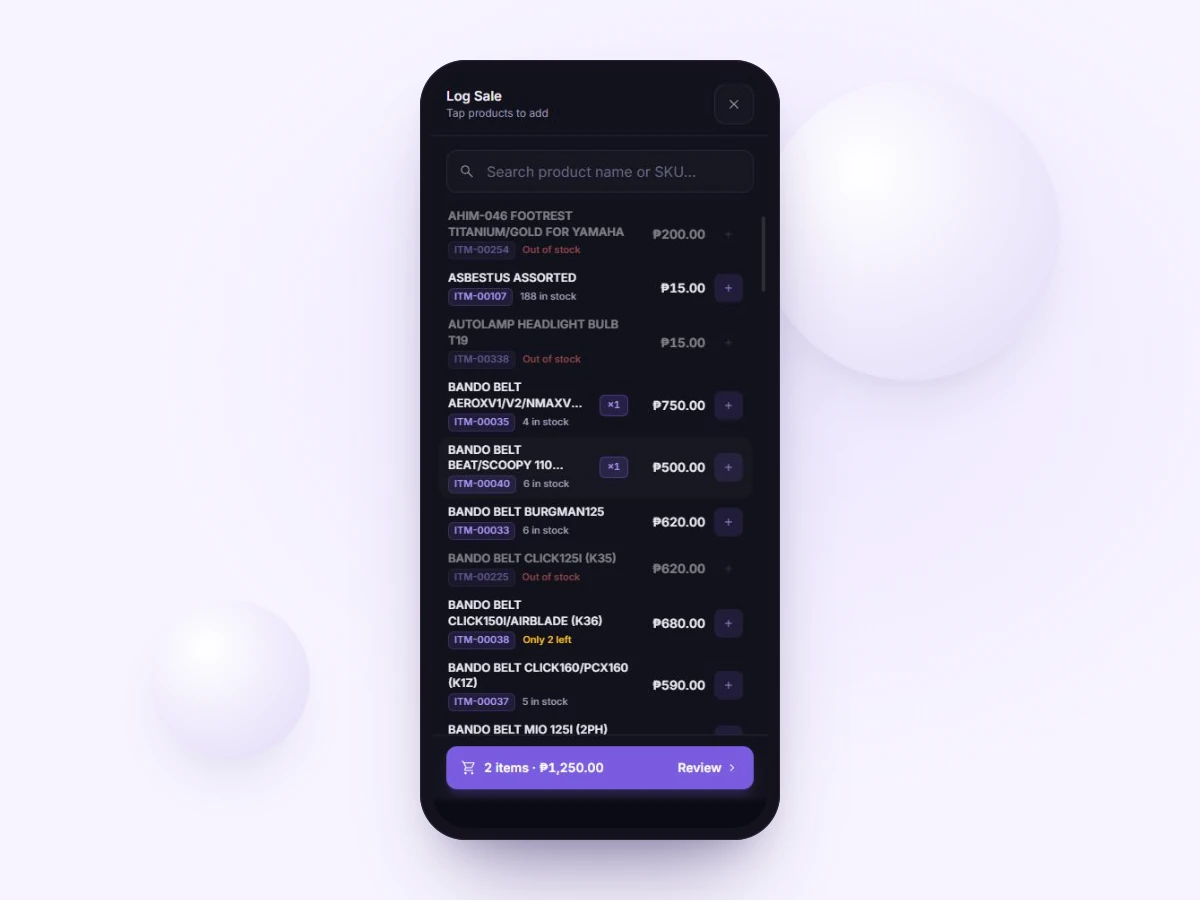
Stocksheet is an inventory and sales tracker for small Philippine shops. See what you have, what sold and what to reorder.
21 days, all features. No card needed.
Works in your browser on
iPad
Android tablet
Phone
PC

The notebook says 12. The shelf says 7.
You find out when a customer asks.
Good day or slow day? You add it up.
Tools made for small shops, starting with Stocksheet.
Inventory and sales tracker for small Philippine shops.
21 days free. No card needed.
We are building more for small shops.
21
days free
No card needed
3
monthly plans
From ₱399
10
users
On Business
7
days offline
Sales, Pro + Business
Sign up for 21 days with all features.
Type them in, or import Excel on Pro and Business.
Staff join your shop with a code.
Stocksheet started behind a real counter, with real stock to count and customers waiting. That is still how we decide what to build: if it does not help a busy shop, it does not go in.
Your 21-day trial has all features and Business limits. No card needed.
3 users, 500 products
₱399
a month
Start free trial5 users, 2,000 products
₱799
a month
Start free trial10 users, no product limit
₱1,299
a month
Start free trialPay by GCash, Maya or bank transfer. We record your payment by hand and extend your plan.
Stocksheet is an inventory and sales tracker, not a POS. Keep issuing your BIR-registered invoices.
No. Stocksheet is an inventory and sales tracker, not a POS. Keep issuing your BIR-registered invoices.
No. You get 21 days with all features and no card.
Your shop needs a paid plan to continue. If it stays locked, nothing is deleted for 90 days and the owner can download the data. After that, the data is deleted.
Pay by GCash, Maya or bank transfer. We record your payment by hand and extend your plan.
Pro and Business can keep logging sales with no internet, for up to 7 days. They sync when you reconnect. Everything else needs internet.
No. Staff never see unit cost or profit.
Yes, on Pro and Business, in Receive Stock.
Cancel anytime. Access runs to your paid-until date, and a month already started is not refunded. Download everything as one Excel file. If the shop stays locked for 90 days, its data is deleted.